Which Book Tracker Fits the Way You Read?
Which book tracker should you use? The one that answers the question you will ask in December. A count of finished books needs one line per book, what you read most needs one more word per line, how long each took needs two dates, and what to read next needs a short list kept where you will see it. Paper and apps each answer some of these better than the other.
One book tracker per question
A book tracker is any record of the books you read, kept by hand or in an app. Which one suits you depends on what you want to look back at in December, and each of the four usual questions asks for a different record. Most paper forms and apps answer one or two of them well. Find your question in the table, then read its section.
| Question at year end | What to record | Paper form or app that answers it |
|---|---|---|
| How many books did I finish? | Title and finish date, one line per book | A numbered list (a 20-row log, a 6-book bookmark), or any app's yearly count |
| What did I read most? | One genre or tag per book | A tally by genre or colored spines on paper, or The StoryGraph's charts |
| How long did each book take? | Started and finished dates, or minutes per sitting | A log with date columns, a minutes bookmark or a monthly day grid, or an app with both dates marked |
| What should I read next? | Five or six titles and who suggested each | A pencil strip in the current book, or a to-read shelf on Goodreads or The StoryGraph |
| Did anyone I know read it? | Nothing on paper | Goodreads friends or The StoryGraph's buddy reads; paper only at the book club table |
Counting books
Counting takes the smallest record of all, one line per finished book with the title and the date you closed it. Number the lines and the count reads itself at any point in the year. Twenty lines carry most readers through a year, and someone who finishes a book a week needs about fifty.
Count finished books only. A book you stopped at page 80 goes on its own short list, or gets a crossed-out line, so the count stays honest. Audiobooks count if you say they do, since you set the rules on your own tracker, and a small mark next to the title tells them apart later.
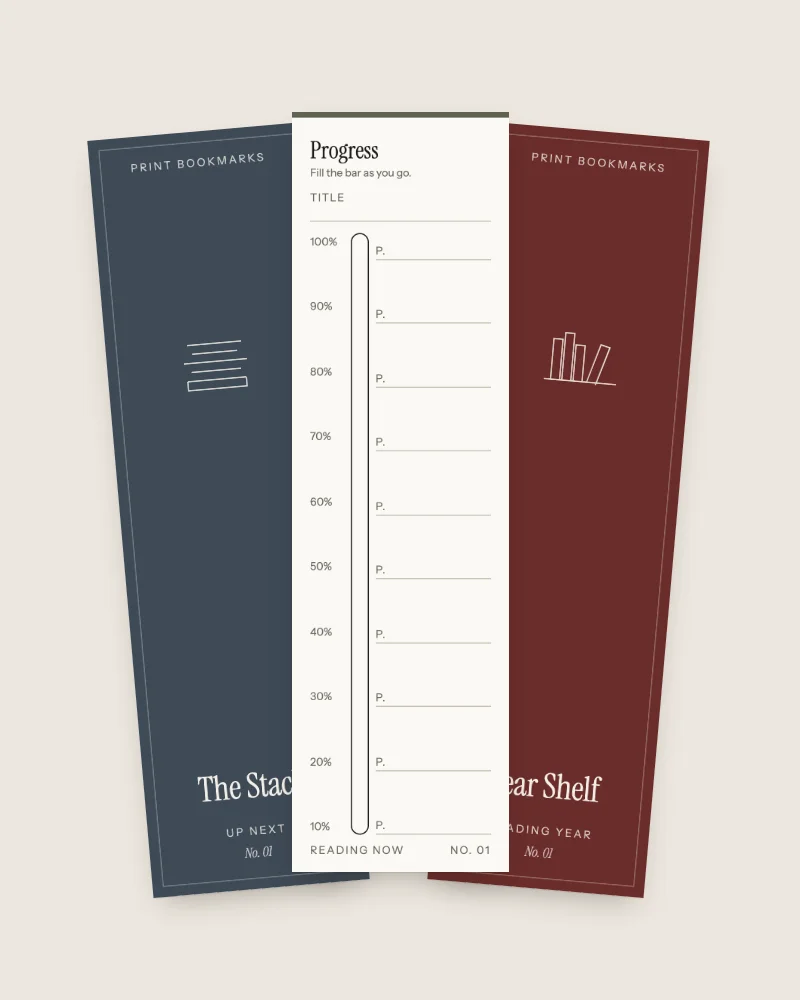
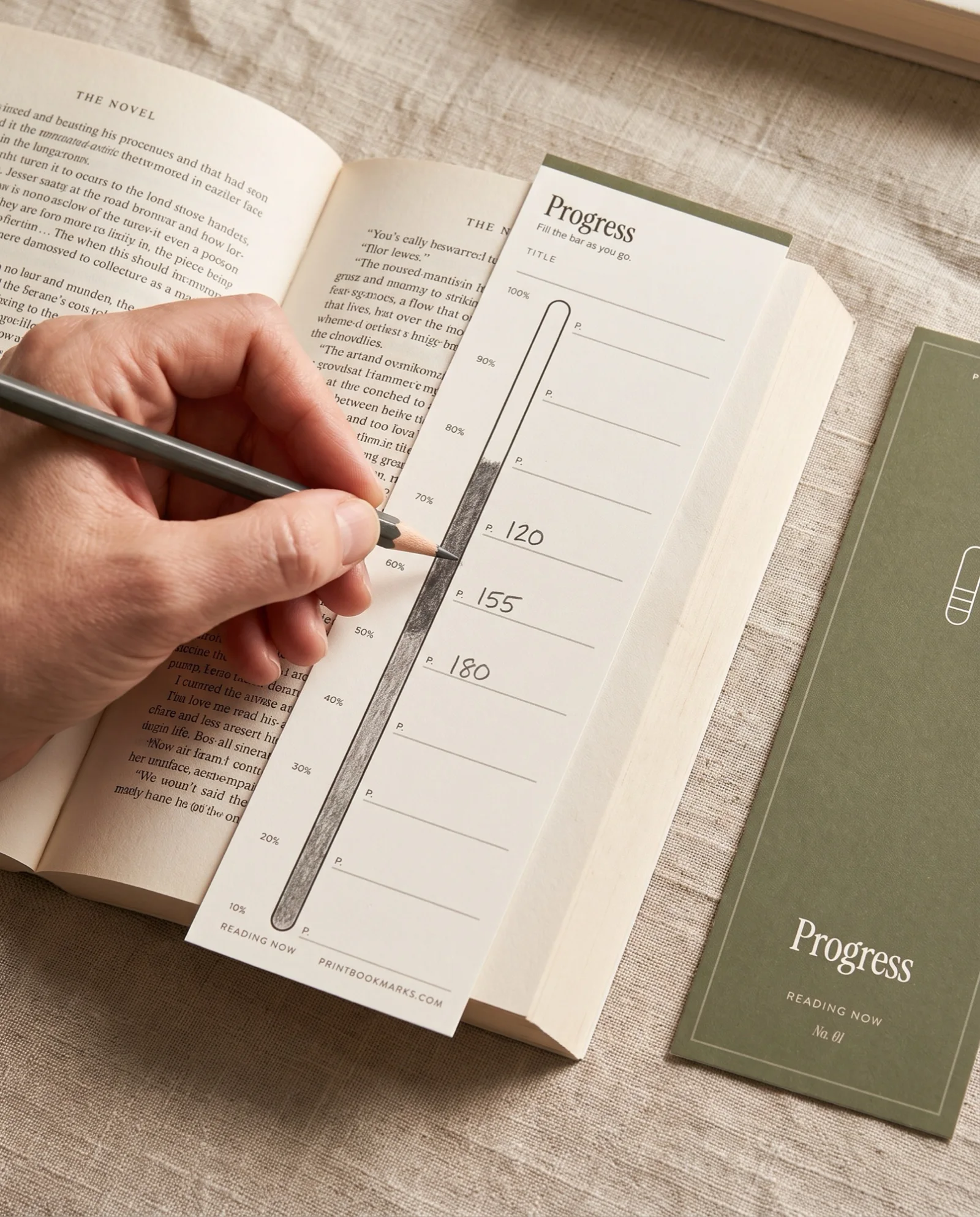
On paper, any numbered list works, including the back page of a notebook. The free reading tracker bookmarks put a six-book log with star ratings on a strip that stays in the book, four to a sheet. Six lines fill fast, so print a few, or use the one-page Year in Books sheet from the same page, twelve months with room for five books each. A count by month with a goal to aim at is the job of a tracker that runs for the whole year.
In an app the count is automatic. Goodreads runs a yearly Reading Challenge and counts Kindle books toward it on its own once you link your Amazon account. If the number is the only thing you want, an app does it with no pencil at all.
Seeing what you read most
To see what you read most, add one word to each line, the genre or a tag of your own such as "comfort" or "for work". Five or six categories are enough. With fifteen, every book becomes its own category and the tally shows nothing. At year end you count the words, which takes about ten minutes.
Paper can show the answer as you go. A tally by genre, five or six headings with a tick each time, is the simplest form. The free Reading Year bookmark set carries one, next to a shelf you color by month and a line for your best five. If you like pictures more than tallies, try drawing each book as a spine on a shelf and coloring each spine by genre. Over a year the shelf turns into a bar chart.
Apps draw the chart for you. The StoryGraph builds charts and graphs from every book you log, and its Plus tier adds stats filtered by mood or genre. If you want to slice your year by more than one word per book, or compare two years side by side, an app is the better choice. A paper tally is the wrong one there.
Knowing how long a book took
For time, record two dates per book, started and finished, or the minutes of each sitting. Two dates cost nothing extra at the moment you add a line. Minutes cost a glance at the clock every time you stop. That is why minute logs suit a school assignment or a one-month habit better than a whole year.
The two records answer different questions. Dates tell you a 400-page novel took three weeks. Minutes tell you that you read about twenty minutes a night and that Tuesdays were empty. Pages per hour needs both, and the arithmetic takes a calculator and an evening, so only do it if the figure interests you.
On paper, a printable reading log is the usual form, and the five free reading logs on this site cover the range. The classic log has started and finished columns on each of its twenty rows. The monthly log has 31 numbered day boxes with a line for minutes in each. The weekly log runs Monday to Sunday, with a column for a parent or teacher to initial. All of them print on plain paper.
An app keeps the dates too, once you mark a book started and finished, and spares you the columns. For minutes, paper has the edge, because the box for today sits in the book where you stop.
Deciding what to read next
A what-next list needs the title, where it came from and a cap. How long should it be? Five or six titles. Past that it turns into a wish list, which is a separate thing to keep. Write down who suggested each book, because in March you will not remember why it is there.
Paper does this with a strip of card and a pencil, kept in the book you are reading now. Cross a title off when you start it and add one at the bottom. The list sits where you will see it the moment you finish a book.
Apps do the finding as well as the keeping. The StoryGraph keeps a to-read shelf and, if you move over, imports your Goodreads shelves for currently-reading, read, to-read and did-not-finish. If recommendations from strangers are what you want, the pencil strip has nothing for you and an app is the right choice.
Reading with friends, or keeping it to yourself
Two things outside the four questions can settle the choice on their own. The first is company. Goodreads lets you see what your friends are reading. The StoryGraph lets you read with friends and leave reactions that stay locked until each person reaches that part of the book. Paper is social only in person, at a book club table, where a strip with the four or five meeting dates on it does the job.
The second is privacy. Goodreads is a subsidiary of Amazon, and its privacy notice says the information it collects is subject to the Amazon Privacy Notice. The same notice says content you post becomes available to the public through the service. Book Tracker, an app for iPhone, iPad and Mac, promises no ads, no tracking and no registration, and syncs your library through iCloud. A paper log goes further still. Nobody reads it unless you lend the book with the bookmark inside.
The smallest tracker to start this week
Start with one line per finished book and nothing else. Title, the date you finished, and a mark out of five. Put it on the back page of whatever notebook is nearest, or on a strip of card in the book, and number the lines. That is the counting tracker, and it takes about fifteen seconds per book.
Every other tracker here grows out of that line, a genre word for the tally, a started date for the time record. If by March the lines are still getting written, the habit is real, and the genre word is the first thing worth adding.
Sources
- The StoryGraph, The StoryGraph home page and FAQ (2026) (last checked 2026-10-02)
- Apple App Store, StoryGraph: Reading Tracker App listing (2026) (last checked 2026-10-02)
- Book Tracker, Book Tracker, the private reading app for iPhone, iPad and Mac (n.d.) (last checked 2026-10-02)
- Goodreads, About Goodreads (n.d.) (last checked 2026-10-02)
- Goodreads, Privacy Notice (2023) (last checked 2026-10-02)
- Goodreads, Join the Goodreads Reading Challenge (2026) (last checked 2026-10-02)